
Cookies on this website

We use some cookies to make this website work. With your permission we would also like to use cookies that help us understand how the website is used and measure our advertising. You can accept or reject these, or choose which ones to allow.

Choose which cookies we can use
  • 0191 424 6336
  • [email protected]
ICT in Schools Logo
  • Our Services
    • About Us
    • Meet the Team
    • The Word in 360º
    • Fab Lab @The Word: Digital Fabrication & STEM for Schools
    • Website Support
    • Professional Development
    • Loan Resources
    • Planning a visit
    • News
    • 5 minutes on Friday
    • AI – The Prompt
    • Equality, Diversity and Inclusion
  • Computing
    • Curriculum
    • AI Literacy & Guidelines
    • Policies
    • ClickView in South Tyneside
    • CAS Primary Hub
    • Digital Careers
      • Digital Careers
    • Mr R’s Escape Rooms
    • First Lego League “Bioglow” 2026/7 Season
  • Online Safety Hub
  • E-Safety
    • Online Safety Hub
    • Smoothwall Monitor
    • AI in Education
      • AI Policy
    • E-Safety
    • E-safety News
  • Community
    • The Word
    • Fab Lab
    • Literacy
    • Stronger Schools
    • Financial Support
    • Young Health Ambassadors
    • MFL
      • French
      • Spanish
    • South Tyneside Apple RTC
      • Apple RTC Home
      • Apple RTC CPD
  • CPD@Openzone
    • CPD@Openzone
    • Autumn 2026
    • Spring 2027
    • Summer 2027
    • Apple RTC CPD
ICT in Schools Logo
  • Our Services
    • About Us
    • Meet the Team
    • The Word in 360º
    • Fab Lab @The Word: Digital Fabrication & STEM for Schools
    • Website Support
    • Professional Development
    • Loan Resources
    • Planning a visit
    • News
    • 5 minutes on Friday
    • AI – The Prompt
    • Equality, Diversity and Inclusion
  • Computing
    • Curriculum
    • AI Literacy & Guidelines
    • Policies
    • ClickView in South Tyneside
    • CAS Primary Hub
    • Digital Careers
      • Digital Careers
    • Mr R’s Escape Rooms
    • First Lego League “Bioglow” 2026/7 Season
  • Online Safety Hub
  • E-Safety
    • Online Safety Hub
    • Smoothwall Monitor
    • AI in Education
      • AI Policy
    • E-Safety
    • E-safety News
  • Community
    • The Word
    • Fab Lab
    • Literacy
    • Stronger Schools
    • Financial Support
    • Young Health Ambassadors
    • MFL
      • French
      • Spanish
    • South Tyneside Apple RTC
      • Apple RTC Home
      • Apple RTC CPD
  • CPD@Openzone
    • CPD@Openzone
    • Autumn 2026
    • Spring 2027
    • Summer 2027
    • Apple RTC CPD
ICT in Schools home
  • Our Services
    • About Us
    • Meet the Team
    • The Word in 360º
    • Fab Lab @The Word: Digital Fabrication & STEM for Schools
    • Website Support
    • Professional Development
    • Loan Resources
    • Planning a visit
    • News
    • 5 minutes on Friday
    • AI – The Prompt
    • Equality, Diversity and Inclusion
  • Computing
    • Curriculum
    • AI Literacy & Guidelines
    • Policies
    • ClickView in South Tyneside
    • CAS Primary Hub
    • Digital Careers
      • Digital Careers
    • Mr R’s Escape Rooms
    • First Lego League “Bioglow” 2026/7 Season
  • Online Safety Hub
  • E-Safety
    • Online Safety Hub
    • Smoothwall Monitor
    • AI in Education
      • AI Policy
    • E-Safety
    • E-safety News
  • Community
    • The Word
    • Fab Lab
    • Literacy
    • Stronger Schools
    • Financial Support
    • Young Health Ambassadors
    • MFL
      • French
      • Spanish
    • South Tyneside Apple RTC
      • Apple RTC Home
      • Apple RTC CPD
  • CPD@Openzone
    • CPD@Openzone
    • Autumn 2026
    • Spring 2027
    • Summer 2027
    • Apple RTC CPD

Contact the school

Call 0191 4246334

Archive

Issue #7 – 12th June 2026

Phillippa Chippendale

12th June 2026

Displaying image

Hello Everyone! Here’s your weekly 5 minutes on Friday digest of tech updates, designed to keep you up to speed on the latest in the world of technology, education, and innovation.

We’ve gathered news on everything from curriculum ideas to major tech developments and emerging trends. Enjoy!

💡 Item 1: The 60-Second Tech Tip

Displaying image

You’re presenting a slide deck and want to draw your students’ attention to a specific point, but the bright screen is distracting. Or perhaps you want them to look directly at you, not the board.

Next time you are in Present mode in Google Slides, try these two clever keyboard shortcuts:

  • Press B: The screen instantly turns completely Black.
  • Press W: The screen instantly turns completely White.

Why use it? It acts as an immediate visual “pause button” for your class. Press any key to bring your presentation right back. It’s a fantastic, low-tech feeling trick built right into your high-tech presentation tool.

🛠️ Item 2: Tool of the Week — Interactive PDF Annotation with Kami

Displaying image

If you are looking for a practical way to breathe new life into your digital worksheets and simultaneously save your school’s printing budget, take a look at Kami.

  • For Students: It provides a highly vibrant, user-friendly interface where they can draw, type, and add voice annotations directly onto digital documents and PDFs.
  • For Teachers: It integrates seamlessly with cloud platforms like Google Classroom, allowing you to deliver real-time feedback and streamline your daily marking workflow in line with DfE workload reduction guidelines.

📢 Item 3: Online Safety Hub Weekly Highlight
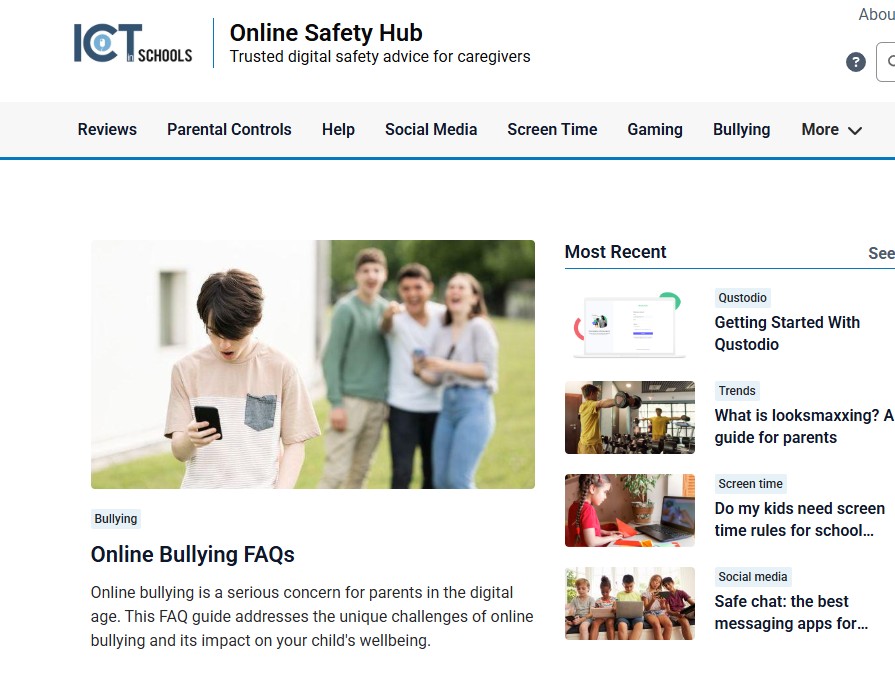
What is “looksmaxxing”? A guide for parents.

This trend is regularly breaking into youth subcultures, and it is vital that pastoral teams and leadership are aware of its implications for school safeguarding:

  • Looksmaxxing started as an online subculture but has gone mainstream among young boys. While much of it presents as memes and jokes, the line between harmless and harmful can blur incredibly fast.
  • The darker side of this trend is tied to toxic online communities and can rapidly push teens toward body image issues, dangerous physical practices, and extremist rabbit holes.
  • Knowing the warning signs and facilitating open, non-judgmental conversations are the most effective safeguarding ways to keep this trend from becoming a real-world problem.

🔗 Explore full resources on the South Tyneside Online Safety Hub or read the primary reference article: What is looksmaxxing? A guide for parents.

🎓 Upcoming CPD Courses

Please note: CPD courses are FREE to all schools within our service agreement. Other schools are most welcome to join us for £40 + VAT per session.

Course NameDate & TimeFormat
Termly E-safety Briefing: Smoothwall Monitor
Wednesday 17th June, 4:00 – 5:00 PMVirtual
DUO Course Y5: Learn to teach Vector Graphics with Google DrawingsThursday 25th June, 4:00 – 5:30 PMFace to Face
DUO Course: Tinkercad SandcastlesWednesday 1st July, 4:00 – 5:30 PMFace to Face

👉 Book with Julia (mailto:[email protected])

☀️ School Activities & Events

🏆 Live Summer Quiz (via Google Meet)

Displaying image

We are hosting a live summer quiz via Google Meet! This year, we have decided to include Key Stage 1 for the first time. There will be 3 distinct time slots to choose from:

  • Session 1: Exclusively for Key Stage 1 classrooms.
  • Sessions 2 & 3: Two available time slots for Key Stage 2 (AM and PM options).

📅 Date: Tuesday 16th June 2026

📝 Note: A separate registration form must be filled out for each participating class.

👉 Click here to register your classroom

🦸 ClickView Celebration: Online Safety Super Hero Challenge

Displaying image

We’re excited to invite your school to take part in our upcoming FREE Online Safety Super Hero Challenge. This is a brilliant opportunity to combine digital creativity, team collaboration, and essential safeguarding education in a fun, memorable setting.

📅 Date: Tuesday 23rd June 2026

⏰ Time: 12:00 Noon – 2:00 PM

📍 Venue: The Word

👥 Schools are welcome to enter more than one team; simply indicate your requirements on the booking page.

👉 Click here to secure your team spaces

Thank you for reading this week’s edition! Stay tuned for more EdTech news, practical classroom strategies, and leadership tips in next week’s update.

Have an EdTech topic you would like us to cover? Feel free to reach out directly with suggestions or feedback.

Have a great weekend!

Displaying image

Phillippa Chippendale

ICT in Schools Team

5 minutes on Friday, E-safety News, News

Issue #3 – 8th May 2026

Phillippa Chippendale

Displaying image

Tech & Training: Safeguarding Updates & EdTech Opportunities

By Phillippa Chippendale — ICT in Schools Team

Hello everyone, and welcome to your weekly 5-minute Friday digest! We’ve gathered the latest updates in technology, education, and classroom innovation to keep you up to speed. This week, we have critical online safeguarding alerts from CEOP, an important warning about a dangerous viral toy trend, and some great upcoming CPD opportunities.

Let’s dive in!

🔒 Crucial Safeguarding Updates from CEOP

The Child Exploitation and Online Protection (CEOP) Education team has released several new resources and critical guidance for schools and families.

🕹️ Band Runner: New Interactive Scenarios

Band Runner is an interactive game designed to test children’s knowledge on online threats and help them make safer choices. CEOP has recently updated the game with new, relevant scenarios that accurately reflect the modern online experiences of 8 to 10-year-olds.

  • New Topics Covered: Livestreaming, online gaming, and in-game chat.
  • Accessibility Update: The game now features a built-in voice-over function so children can click to have questions and answers read aloud.

📱 ‘What to Do When…’ Parent Poster

CEOP has created a handy visual guide to help parents navigate tough digital milestones and worries. The poster signposts parents and carers to practical advice for when:

  • A child asks for their first phone.
  • Parents worry about who their child is talking to while gaming.
  • A child wants to join social media.
  • There is concern about inappropriate content, nude images, or online blackmail.

👉 Download the ‘What to Do When’ Poster Here

🎥 Demystifying the CEOP Safety Centre

To support secondary-aged students, CEOP has released a new “Reporting to CEOP” video. This resource explains what the Safety Centre is, how to navigate the reporting form, and what happens after a report is assessed. It is an excellent tool to share during PSHE lessons or wider pastoral discussions.

🤖 CEOP AI: Protecting School Imagery

With the rise of generative AI, the manipulation of images taken from school websites and social media channels has become a serious safeguarding threat. Protecting student imagery must be a high priority for every educational setting.

The UK Online Harms Early Warning Working Group has developed vital image security guidance designed to:

  1. Raise awareness across organizations working with youth.
  2. Support the responsible management and protection of online imagery.
  3. Offer an actionable staff checklist to help prevent, recognize, and respond to image-based abuse.

⚠️ Urgent Safety Alert: NEEDOH / Jelly Cube Viral Trend

We want to draw your attention to a highly dangerous viral trend currently circulating on social media apps like TikTok.

Children are microwaving squishy silicone toys (such as NeeDoh or Jelly Cubes) because online videos claim it makes them softer and more pliable. In reality, when the toys are squeezed afterward, they burst and spray boiling liquid material, causing severe burns to children’s hands and faces. Serious injuries have already been reported in the US and the UK, including a recent incident in Bristol.

Staff & Parent Action Required: Please speak with your children about the dangers of this trend. Crucially, do not search for this challenge on social media platforms. Every search feeds the algorithm, increasing the video’s reach and making it visible to even more children.

📅 Upcoming CPD & Training Courses

Note: All courses listed below are FREE to schools within our service agreement. External schools are welcome to attend for £40 + VAT.

Upskill Your Staff with “Duo Courses”

Our Duo courses are designed to help you maximize your school’s curriculum points. Teachers attend the training session, and then book a half-day class visit to The Word to practice their skills. Attending teachers receive a 50% points discount on the class visit (30 points instead of 60)! (Please note: The attending teacher must be present at the half-day session for professional development, and schools can only claim the reduced rate once per specific Duo course).

Mark Your Calendars:

  • Duo Course: Y4 Repetition in Shapes – Pictoblox | 19th May, 4:00 PM
  • AI Champions Network Termly Meeting | 21st May, 4:00 PM
  • Duo Course: Y2/3 Stikbot Animation | 9th June, 4:00 PM
  • Summer Termly Website Clinic (Virtual) | 10th June, 1:30 PM

📨 To book your spot on any of these courses or meetings, please email Julia directly at [email protected].

📌 Curriculum Bookings 2026/2027

It is already time to look ahead to the next academic year! How do you plan to use your allocated 180 curriculum points for 2026–2027?

Popular dates fill up quickly. Please get in touch with the team NOW to guarantee your preferred calendar dates.

Thank you for reading this week’s digest! Stay tuned next week for more EdTech news, leadership tips, and practical classroom ideas. If you have a specific topic you would like us to cover, please reach out with your feedback.

Have a wonderful, safe weekend!

Phillippa

ICT in Schools Team

5 minutes on Friday, E-safety News, Front Page News, News

Issue #2 – 1st May 2026

Phillippa Chippendale

Displaying image

Tech, Quizzes, and Professional Development: Your Friday 5-Minute Digest

By Phillippa Chippendale — ICT in Schools Team

Hello Everyone! Welcome back to your weekly 5-minute Friday digest of tech updates. We’ve gathered the latest news from around the web—covering everything from brand-new curriculum ideas to major tech developments and emerging educational trends.

Grab a coffee, take five minutes, and get up to speed for the week ahead!

☀️ The Live Summer Quiz is Back—With a Special Update!

We are thrilled to announce that we are hosting another live summer quiz via Google Meet!

This year features an exciting first: Key Stage 1 classrooms are invited to participate! To accommodate as many classrooms as possible, we have set up three distinct live time slots for you to choose from.

  • Key Stage 1: Exclusively holding the first session of the day.
  • Key Stage 2: Two optional slots available (Morning and Afternoon sessions).

📅 Mark Your Calendar: Tuesday, 16th June 2026

Note: Please make sure to fill out a separate registration form for each individual class participating from your school.

📱 Summer Celebration: Social Media & Online Safety

Join us at The Word for our annual Summer Celebration! This year, our focus is squarely on the crucial topics of Social Media and Online Safety.

We invite you to bring a small group of your upper Key Stage 2 children to showcase their ClickView achievements and experiences. It promises to be a highly interactive, fun session with great prizes to be won!

  • 📅 When: Tuesday, 23rd June 2026
  • ⏰ Time: 12:00 PM – 2:30 PM
  • 📍 Where: The Word
  • 🧺 Reminders: The session will start promptly at noon, so please ensure children bring a packed lunch.

👉 Click Here to Sign Up for the Summer Quiz & Celebration Events

📅 Upcoming CPD & Duo Training Courses

All listed courses are entirely FREE to schools enrolled in our service agreement. External schools are welcome to book a space for £40 + VAT per attendee.

What is a “Duo Course”?

Our Duo courses offer a fantastic, resource-efficient way to upskill your teaching staff while maximizing your curriculum points with us.

  1. Step 1: The class teacher attends the scheduled training session.
  2. Step 2: Book a half-day class visit to The Word so your pupils can try out what you learned.

The Perk: Every class teacher who completes the training session makes their class eligible for the half-day visit at a 50% points discount (30 points instead of the standard 60)! (Please remember that the attending teacher must be present during the class visit for professional development purposes, and schools can only apply this discount once per specific Duo topic).

Summer Course Lineup (All sessions run from 16:00 to 17:30):

  • Y3 Sequencing Sounds (using Scratch/Pictoblox) 📅 Thursday, 7th May 2026
  • Y4 Repetition In Shapes (using Scratch/Pictoblox) 📅 Tuesday, 19th May 2026
  • Y2/3 Stikbot Animation & iMovie 📅 Tuesday, 9th June 2026
  • Y5 Vector Graphics (using Google Drawing) 📅 Thursday, 25th June 2026
  • Y6 Tinkercad: Creating 3D Sandcastles 📅 Wednesday, 1st July 2026

📨 Ready to build your team’s skills? Contact Julia at [email protected] to secure your school’s slot.

Thank you for tuning in to this week’s issue! We look forward to sharing more educational technology updates, practical ideas for your classroom, and school leadership insights next Friday.

If you have feedback or a specific topic you would love to see highlighted in a future edition, please reach out and give us a shout.

Have a wonderful long weekend!

5 minutes on Friday, Front Page News, News

Address

ICT in Schools Team

OpenZone@The Word

45 Market Place

South Shields

NE33 1JF

Contact Us

ICT In Schools
Open Zone @ The Word
45 Market Place
South Shields
NE33 1JF

0191 424 6336

[email protected]

Website Accessibility Statement | South Tyneside Apple RTC Twitter Feed

School website powered by Realsmart Logo