

This website uses cookies to ensure you get the best experience on our website.

Learn more
Got it!
  • 0191 424 6336
  • [email protected]
ICT in Schools Logo
  • Our Services
    • About Us
    • Meet the Team
    • News
    • 5 minutes on Friday
    • AI Prompt
    • Website Support
    • Professional Development
    • Loan Resources
    • Equality, Diversity and Inclusion
  • Computing
    • Curriculum
    • CAS Primary Hub
    • ClickView in South Tyneside
  • Online Safety Hub
  • E-Safety
    • Online Safety Hub
    • Smoothwall Monitor Hub
    • AI in Education
      • AI Policy
    • E-Safety
    • E-safety News
  • Community
    • The Word
    • Fab Lab
    • Young Health Ambassadors
    • Literacy
    • Stronger Schools
    • Financial Support
    • MFL
      • French
      • Spanish
  • CPD
  • Policies
ICT in Schools Logo
  • Our Services
    • About Us
    • Meet the Team
    • News
    • 5 minutes on Friday
    • AI Prompt
    • Website Support
    • Professional Development
    • Loan Resources
    • Equality, Diversity and Inclusion
  • Computing
    • Curriculum
    • CAS Primary Hub
    • ClickView in South Tyneside
  • Online Safety Hub
  • E-Safety
    • Online Safety Hub
    • Smoothwall Monitor Hub
    • AI in Education
      • AI Policy
    • E-Safety
    • E-safety News
  • Community
    • The Word
    • Fab Lab
    • Young Health Ambassadors
    • Literacy
    • Stronger Schools
    • Financial Support
    • MFL
      • French
      • Spanish
  • CPD
  • Policies
ICT in Schools Logo
  • Our Services
    • About Us
    • Meet the Team
    • News
    • 5 minutes on Friday
    • AI Prompt
    • Website Support
    • Professional Development
    • Loan Resources
    • Equality, Diversity and Inclusion
  • Computing
    • Curriculum
    • CAS Primary Hub
    • ClickView in South Tyneside
  • Online Safety Hub
  • E-Safety
    • Online Safety Hub
    • Smoothwall Monitor Hub
    • AI in Education
      • AI Policy
    • E-Safety
    • E-safety News
  • Community
    • The Word
    • Fab Lab
    • Young Health Ambassadors
    • Literacy
    • Stronger Schools
    • Financial Support
    • MFL
      • French
      • Spanish
  • CPD
  • Policies

DUO CPD – Y5 – Vector Graphics Using Google Drawings

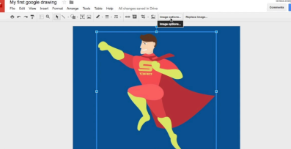
Duo Course: Y5 Vector Graphics – Using Google Drawings

Unlock the power of digital design! This hands-on training session will equip Year 5 teachers with the skills to confidently deliver engaging vector graphics lessons.  Learn how to use Google
Draw and other vector-based tools to create and edit digital graphics, enhancing creativity in the classroom.

Session Objectives: (Links directly to – Y5 Teach Computing – Vector Graphics Unit)
● To understand the fundamental principles of vector graphics
● Learn to use Google Draw and other vector-based design software to create digital graphics
● Explore the tools available to edit and manipulate vector images
● Gain confidence in delivering the Y5 Vector Graphics unit effectively

THIS WILL BE A FACE TO FACE TRAINING COURSE AT OPENZONE

Expected impact on schools – Participants will:
● Have access to valuable online resources to support computing lessons
● Be able to confidently deliver vector graphics lessons using appropriate software
● Develop engaging lesson ideas that align with the computing curriculum

Who is it for?
Teachers wishing to develop their skills with Vector Graphics as part of the computing curriculum, especially those delivering the Y5 Vector Graphics unit from the Teach Computing framework.

Charge:
This course is part of the CPD programme for schools in the ICT in Schools Service Offer and is free of charge to those schools. For all other schools, the charge is £40.00 + VAT.

SPECIAL OFFER
After attending a DUO course each attendee will be eligible for a reduced cost half day, taught session on Vector Graphics either at The Word or in school.
The session will use 30 points of your allocation instead of 60.
Staff can only attend the Duo Course once to benefit from the reduced points charge.
(Points can be purchased if required – please enquire for costings)

To book a place on this session please email: [email protected]

Address

ICT in Schools Team

OpenZone@The Word

45 Market Place

South Shields

NE33 1JF

Contact Us

ICT In Schools
Open Zone @ The Word
45 Market Place
South Shields
NE33 1JF

0191 424 6336

[email protected]

Website Accessibility Statement | South Tyneside Apple RTC Twitter Feed

School website powered by Realsmart Logo