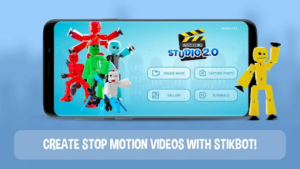

Stop-motion animation creation by pupils in a classroom is an engaging way for learners to demonstrate their learning. With Stikbot, creating and sharing animation has never been so easy.
The free Stikbot Studio app, allows you and your pupils to take still photos of your subject and then layer them in sequence to create simple animation. You can even use greenscreen to animate anywhere.
Session Objectives: (Links directly to the Teach Computing Y3 Unit Creating media – Stop-frame animation)
● How to create simple stop motion animation
● Add greenscreen so your animations can take place anywhere
● Add sound effects or voice over
● Share your finished animations
When:
Tuesday 9th June 2026 16:00-17:30 At OpenZone@TheWord
THIS WILL BE FACE TO FACE TRAINING COURSE
Expected impact on schools – Participants will:
● Be able to use Stikbot confidently to deliver the Y3 Animation unit.
● Know how animation can be used to enhance the curriculum and engage pupils
● Develop ideas for using in teaching and learning
Who is it for?
This course is ideal for Y2/3 teachers interested in integrating animation into their teaching, especially those delivering the Y3 Teach Computing Stop-frame animation unit.
You will need:
An iPad with at least IOS 12 and Stikbot Studio 2 (free app)
Charge:
This course is part of the CPD programme for schools in the ICT in Schools Service Offer and is free of
charge to those schools. For all other schools, the charge is £40.00 + VAT.
SPECIAL OFFER
After attending a DUO course each attendee will be eligible for a reduced cost half day, taught session using Stikbot either at The Word or in school.
The session will use 30 points of your allocation instead of 60.
Staff can only attend the Duo Course once to benefit from the reduced points charge.
(Points can be purchased if required – please enquire for costings)
To book a place on this session please email: [email protected]